Restoring Jupiter Notebook access after updating from bash to zsh
After my dissertation, I updated my Mac to Big Sur. I wasn’t going to mess with anything until it was done. I’ve heard too many horror stories. When I finally did, I was prompted to update the shell from bash to zsh which cut off my access to Jupyter Notebook and all of my Python code. I getting a “Jupyter not found” error. Here is how you can get access back.
- Open the bash profile using:
open ~/.bash_profile2. Since I used Anaconda to install Python, the file had a block of code that looked like the following. Copy and….
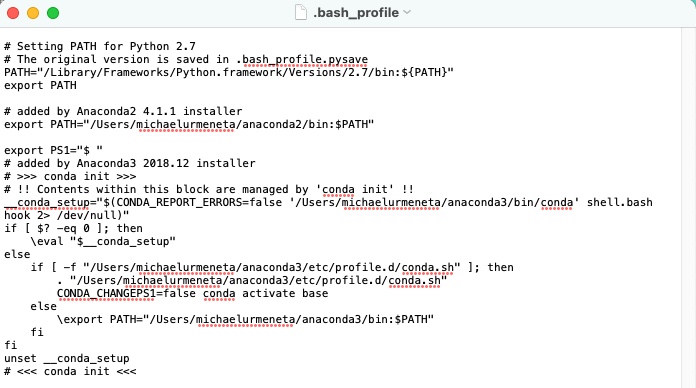
3. Create a zsh profile and paste contents above into it.
nano ~/.zshrc