Tools for the Doctoral Journey – Research
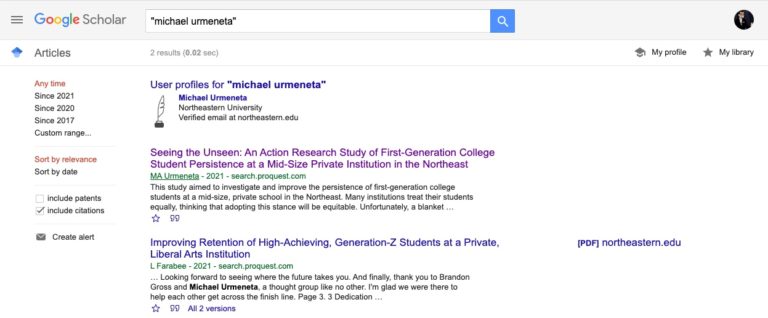
Google Scholar
- As much as I love my university library, the database search engine function is archaic and requires you to use specific terms. This uses Google’s search engine technology to find articles.
- General Use
- After I find articles I like, I check to see if they are peer reviewed using Ulrichsweb (see below) and then click through using to Kopernio (also below) download them.
- For Literature Review
- In Atlas.ti, I looked for codes that tagged bibliography items
- I then copied and pasted them to Google Scholar
- I then imported the article citations to Mendeley
- Settings for this
- Click on hamburger menu, settings, Bibliography menu, Show like to import citations into “RefMan”
- This creates an “Import into RefMan” link option at the bottom of articles.
- When I find a research article I like, I click on that link and it will import into Mendeley
- Settings for this
- Free
- https://scholar.google.com/
Ulrichsweb
- This uses your university credentials to help verify that research articles come from peer reviewed (refereed) sources. The icon even looks like a referee uniform.
- Free
- http://ulrichsweb.serialssolutions.com/login
Kopernio
- This is a browser plug-in for Chrome that uses your university credentials to simplify access to full research article PDF’s.
- I then add them to a class folder or temp folder in dropbox
- I then add it to Mendeley
- Free
- https://kopernio.com/
Conference and Meeting Rooms: DaVinci Meeting Rooms
- I needed to meet with participants for my study away from campus. This service provided meeting rooms that could be rented for the hour.
- $25 – $50 / hour
- https://www.davincimeetingrooms.com/
Recorder: Zoom H2n Handy Recorder
- Although I could have used an iPhone or computer to record interviews, I wanted something with a little more horsepower. This digital recorder had a unidirectional, high gain microphone.
- This was excellent for interviews in any environment. I even did one in a crowded park.
- Additionally, this was excellent for recording thoughts about research and journal articles while I was driving.
- $155.99 one time
- https://www.amazon.com/Zoom-H2N-H2n-Handy-Recorder/dp/B005CQ2ZY6/ref=sr_1_2?dchild=1&keywords=Zoom+H2n+Handy+Recorder&qid=1587953903&sr=8-2
Backup Recorder: Voice Recorder & Audio Editor for the iPhone
- Although I already had a robust digital recorder, I needed to have a trusted backup. This program worked really well.
- Free
- https://apps.apple.com/us/app/voice-recorder-audio-editor/id685310398
Qualitative Data Analysis and Coding: Atlas.ti
- For interviews
- I conducted 11 semi-structured interviews which resulted in seven hours and forty-one minutes of audio. This in turn resulted in 202 pages of transcripts.
- I used a layered, iterative approach to code the interviews using Atlas.ti over several sessions.
- My first pass was just to review the interview audios while reading the transcripts.
- My next pass was to highlight sentences and quotations from those transcripts.
- After that, I assigned keywords or phrases to the highlighted sections.
- Throughout the process, I eliminated redundancy by condensing codes as much as possible.
- For Literature Review
- For my Literature Review, I exported all the references I exported my Mendeley (citation manager) articles with metadata to Atlas.ti.
- https://atlasti.com/product/whats-new-in-atlas-ti-8-4/
- In Mendeley, I put all the relevant articles into a single folder, highlighted those documents, right-clicked, and created an export file using “EndNote XML” as the file type.
- In Atlas.ti, I created a new project, went to the document, import reference manager data menu, adjusted settings for file tagging (I defaulted to all), and chose the Mendeley import file.
- I then highlighted quotations and created codes as I pored though articles
- I then grouped and consolidated codes
- Type of Study – quantitative, qualitative, mixed-methods
- Definitions – from the article or referred to in article
- Followed up by a tagging the bibliography reference in that article
- Instrument – I tagged any instruments or tools the article references in case I wanted to use it
- Followed up by a tagging the bibliography reference in that article
- Theoretical frameworks – referenced in the research article
- Followed up by a tagging the bibliography reference in that article
- Findings – directly from the research article
- Findings Other – referenced in the research article
- Followed up by a tagging the bibliography reference in that article
- Limitations – of that study
- Need – recommended follow-up outlined by the study
- Specific to my study
- Rationale – Justification
- Challenges
- Success Strategy
- Support
- Home
- Institution
- Recommendations
- I then looked at the codes to
- Review the bibliography references
- Track them down using Google Scholar
- Add the references (if not the whole PDF) to Mendeley
- After consolidating codes, I created code groups that eventually became my themes.
- I then exported the codes and code groups to excel
- I pivoted out the code groups and imported to MindManager where I further grouped and refined themes
- I then used his to write out my narrative in Word where I could add in my Mendeley references.
- I then copied the whole thing back to Scrivener
- $99 for 2 years (normally $750 for an educational license)
- https://atlasti.com/students/
Transcription Services: Rev
- This service transcribed recordings accurately and quickly.
- There were even options to indicate international or regional accents for a more accurate transcription
- This was absolutely helpful in doing some quick member-checking as I was able to turn transcripts around in 24 hours.
- $1.25 / minute
- https://www.rev.com/